Choosing a new TV means decoding a lot of acronyms. QLED, OLED and QNED sound similar, but they describe quite different ways of producing a picture.
Before you embark on a quest for the perfect television, understand one thing, there is no best technology, there is just the best TV for you. So, keep your own specific requirements or rather desires in mind while you browse through the options at hand.
The key difference: OLED TVs make their own light pixel by pixel, while QLED and QNED TVs are LCD TVs that use a backlight, with extra layers to improve colour and brightness.
Updated October 2026. Definitions are based on manufacturers’ descriptions and the sources listed below. Individual models vary a lot within each technology, so check reviews of the specific TV you are considering.
What is QLED?
QLED is a name used mainly by Samsung (and also by brands such as TCL and Hisense) for LCD TVs with a quantum dot layer. A conventional LED backlight shines through a film of quantum dots, tiny particles that re-emit light at precise colours, before passing through the LCD panel. This improves colour range and brightness compared with a standard LED-LCD TV. Despite the name, today’s QLED TVs do not emit light from each pixel; they still rely on a backlight. Samsung’s “Neo QLED” models use a Mini LED backlight for finer control of brightness.
What is OLED?
OLED stands for “Organic Light Emitting Diode” and is a type of display that uses organic compounds to produce light. Each individual pixel on an OLED display emits its own light, which allows for extremely deep blacks, high contrast ratios, and excellent color accuracy.
What is QNED?
QNED is LG’s name for its premium LCD TVs. LG describes them as LCD TVs that use “Mini LED technology for precision lighting and enhanced contrast” together with nanoparticle-based colour technology; LG’s regional pages describe this as combining its NanoCell and Quantum Dot technologies. Like QLED, QNED is a backlit LCD design, so it is brighter than many OLEDs but cannot turn individual pixels completely off.
Also Read – Telly TV Review: Should You Try This Free TV Or Not?
Featurewise comparison between OLED, QLED, and QNED
Newer is not automatically better. OLED leads in contrast and viewing angles, while QLED and QNED (both backlit LCD designs) are usually brighter. Here is how they generally compare:
1. Picture Quality:
- OLED: each pixel switches off completely, giving true blacks and outstanding contrast, especially in a dark room.
- QLED and QNED: very good picture quality; models with Mini LED backlights and many dimming zones get closer to OLED contrast, but some light can still bleed around bright objects.
2. Color Accuracy:
- All three can produce accurate, vivid colour on good models. Quantum dot layers help QLED and QNED reach high colour volume at high brightness.
3. Brightness:
- QNED and QLED TVs can achieve higher brightness levels than OLED TVs, making them better suited for bright rooms or viewing during the day.
- OLED TVs have lower peak brightness but still, deliver excellent HDR performance due to their perfect blacks and high contrast ratio.
4. Viewing Angles:
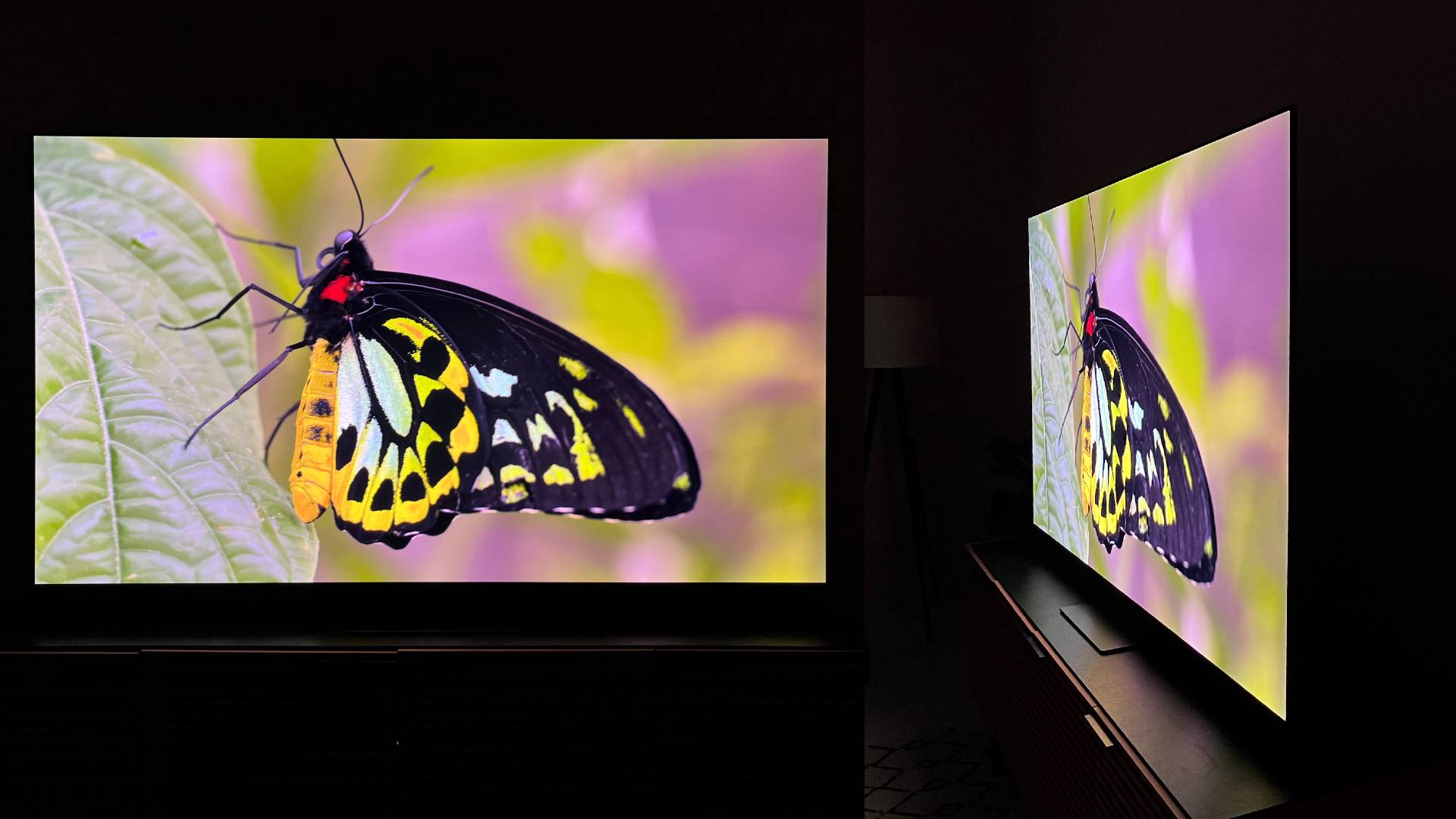
- OLED keeps colour and contrast well from the side.
- QLED and QNED viewing angles depend on the LCD panel type; some lose contrast or colour when viewed off-axis.
5. Response Time:
- OLED pixels respond almost instantly, which keeps motion sharp in games and sport.
- LCD-based QLED and QNED TVs are slower to switch pixels; good models handle motion well, but some blur can be visible.
6. Burn-In Risk:
- OLED can suffer image retention or burn-in if the same static image (for example a news ticker or game HUD) is shown for very long periods; modern OLEDs include features to reduce the risk.
- QLED and QNED, as backlit LCDs, are generally not prone to burn-in.
Overall, OLED is the pick for the best contrast, dark-room viewing and wide angles, while QLED and QNED are strong choices for bright rooms and anyone worried about burn-in. Within each technology, quality varies a lot between budget and premium models, so compare reviews of the specific TVs on your shortlist.